-
×
 Kill the Unicorns
 1 in stock
1 × £10.98 -
×
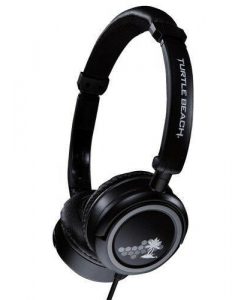 Turtle Beach M3 Mobile Gaming HEADSET (New)
 1 in stock
1 × £13.98
Subtotal: £24.96

£8.98
SteelSeries Xbox Headset Connector Black
1 in stock
The SteelSeries Xbox 360 Headset Connector makes it possible to use standard stereo PC headsets on your Xbox 360, while using your headsets’ microphone. to speak with your friends on Xbox Live.
Below is a small step-by-step guide that will help you setup the Headset Connector:
1. Attach the SteelSeries Xbox 360 Headset Connector to your Xbox 360 controller.
2. Connect your stereo headset to SteelSeries Xbox 360 Headset Connector.
3. Connect the SteelSeries Xbox 360 Headset Connector to your TVs headphone jack.
4. On the Xbox 360 controller, press the Xbox Guide Button and enter.
5. Choose “Personal Settings”, select “Voice” and set “Voice Output” to “Play Through Speakers”.

1 in stock
2 in stock
2 in stock
3 in stock
2 in stock
4 in stock
1 in stock
2 in stock

Loading...

Reviews
There are no reviews yet.