-
×
 DC Heroclix Teen Titans Fast Forces (Pack of 6)
1 in stock
1 × £11.98 -
×
 DC: Man of Steel Mini-Game
6 in stock
1 × £5.98 -
×
 Baratheon House Card (Game of Thrones) - Fantasy Flight Games
1 in stock
1 × £8.98 -
×
 Agricola
4 in stock
1 × £41.98 -
×
 Seasons
6 in stock
1 × £33.98 -
×
 Summoner Wars: Grungors Charge
2 in stock
1 × £8.98 -
×
 Munchkin Axe Cop
1 in stock
1 × £8.98 -
×
 Moral Conflict 1941
1 in stock
1 × £59.98 -
×
 Monolith: The Strategy Game
2 in stock
1 × £21.98 -
×
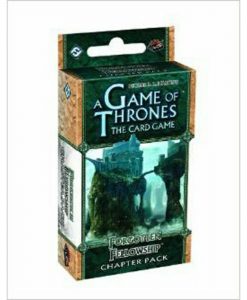 A Game of Thrones Lcg: Forgotten Fellowship Chapter Pack
2 in stock
1 × £10.98 -
×
 Titanium Wars
3 in stock
1 × £10.98 -
×
 Hordes High Command Deck Building Game
2 in stock
1 × £13.98 -
×
 Castelli Board game
8 in stock
1 × £12.98
Subtotal: £251.74




Reviews
There are no reviews yet.